

Event — Logo
What it does
Section titled “What it does”The Logo tab lets you upload custom branding images for the event. These images replace the default MooveTeam CMS branding in the participant mobile app, creating a white-label experience for corporate team-building events or branded campaigns.
How to access
Section titled “How to access”Events list → click event name → Logo tab
Requirements
Section titled “Requirements”- Role: Agency or Admin
- Event state: Event must be stopped for editing
Logo tab
Section titled “Logo tab”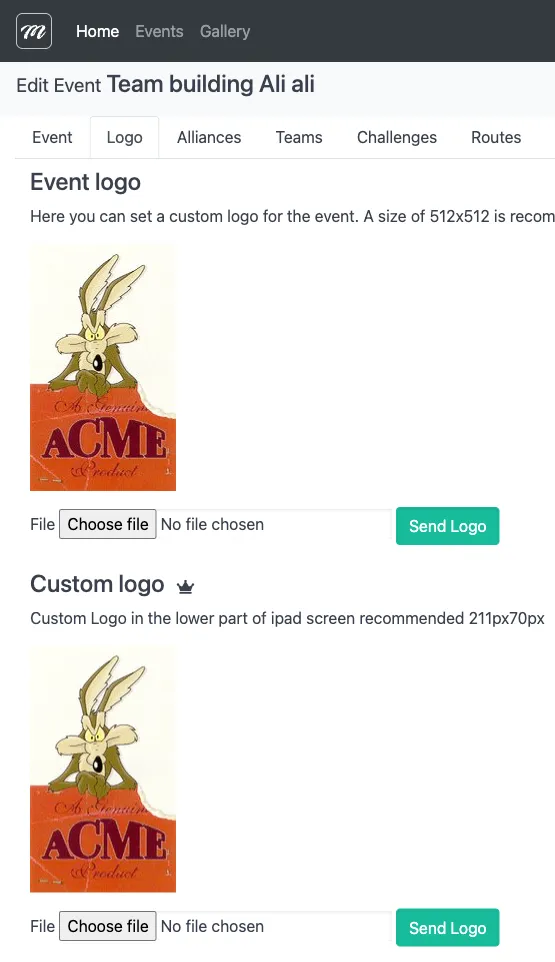
Fields / Options
Section titled “Fields / Options”The Logo tab has two independent file upload sections. Each section has its own Choose File button and Upload action.
Event logo (top section)
Section titled “Event logo (top section)”| Field | Type | Description | Required |
|---|---|---|---|
| Logo file | File upload | Upload the main event logo here. This image appears in the app header and event selection screen. | No |
Bottom-bar logo (bottom section)
Section titled “Bottom-bar logo (bottom section)”| Field | Type | Description | Required |
|---|---|---|---|
| Logo file | File upload | Upload a secondary logo here. This image appears in the app navigation bar during gameplay. | No |
Actions
Section titled “Actions”| Action | Description |
|---|---|
| Send Logo (top) | Uploads the event logo image to the server |
| Send Logo (bottom) | Uploads the bottom-bar logo image to the server |
Behavior and rules
Section titled “Behavior and rules”- Replacing a logo: upload a new file — it overwrites the previous one.
- Both uploads are independent — you can set one without the other.
Related pages
Section titled “Related pages”- Event — General Data — Previous tab
- Event — Alliances — Next tab
- Events Overview — Event list, creation, editing, and deletion
- Event — Live Control — Start/stop event (affects edit availability)