

Picture / Video Point
What it does
Section titled “What it does”The Picture/Video Point challenge requires teams to take a photo or record a video at a specific location as proof of completing a task. Photos and videos are stored for later review by event staff. This is the second most popular type.
Requirements
Section titled “Requirements”| Requirement | Value |
|---|---|
| Role | Agency or Admin |
| Event state | Event must be stopped |
Player experience
Section titled “Player experience”- The challenge activates when the team reaches the GPS location.
- The player reads the instructions and sees what needs to be captured.
- The player takes a photo or records a video using the device camera.
- The media is uploaded and the challenge is marked as complete.
- Event staff can later review and manually score the submission.
Picture/Video Point challenge creation form
Section titled “Picture/Video Point challenge creation form”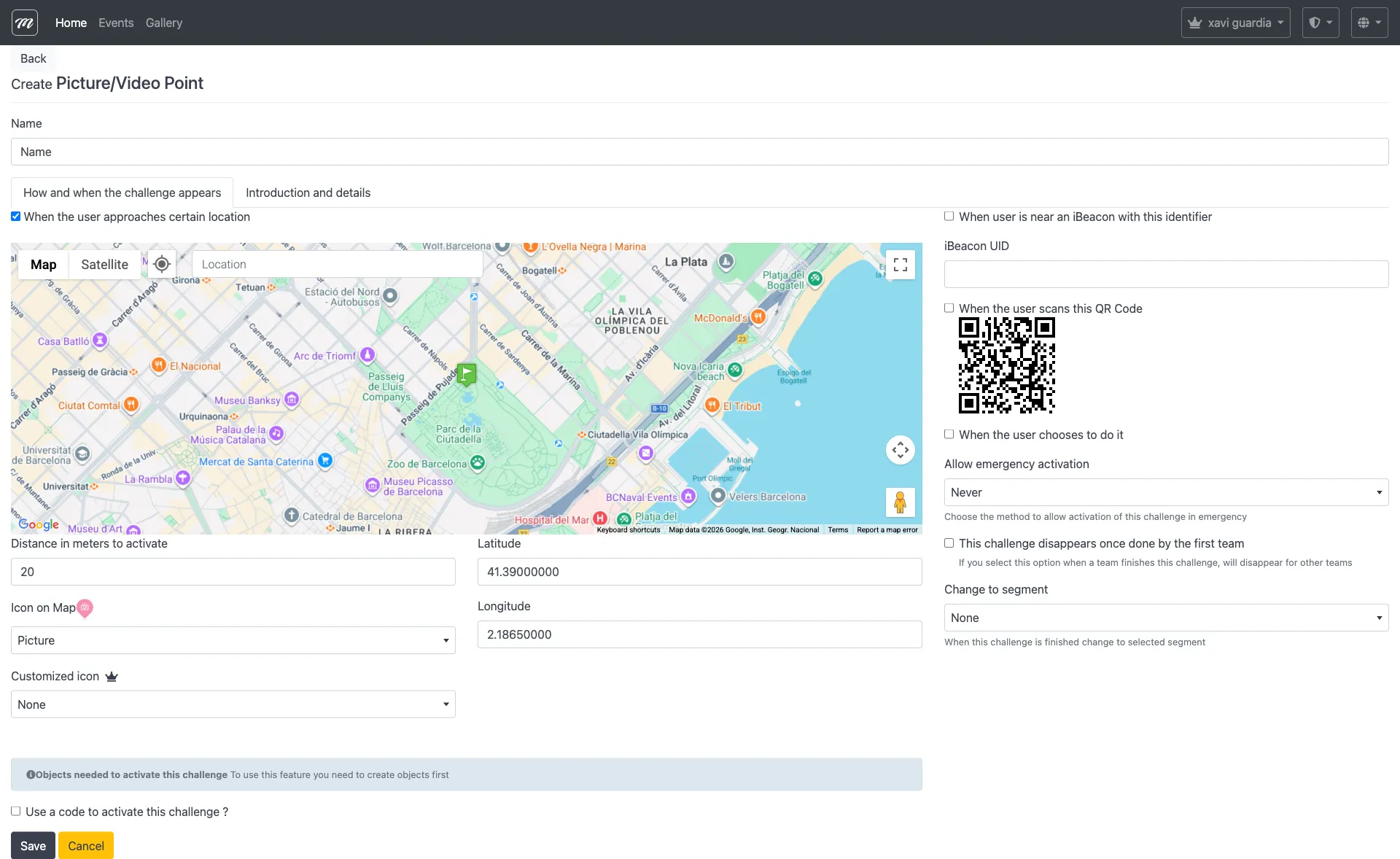
Type-specific fields
Section titled “Type-specific fields”These fields appear in addition to the common challenge fields:
| Field | Type | Description | Required |
|---|---|---|---|
| Allow to record a video instead of picture | Checkbox | When enabled, the player can choose between taking a photo or recording a video | No |
Behavior and rules
Section titled “Behavior and rules”- Photos and videos are stored on the server and linked to the team’s result record.
- Manual scoring — event staff can review submissions in the Results section and adjust points.
- Submitted media appears in the event’s photo gallery and can be exported.
- The challenge instructions are set via the Introductory Text field.
Related pages
Section titled “Related pages”- Challenge Types Overview
- Event — Challenges
- Event — Results — Where photo submissions are reviewed and scored