

Physical Activity
What it does
Section titled “What it does”The Physical Activity challenge type requires teams to complete a physical task at a location — balance exercises, team poses, dances, or other activities. Completion is validated by event staff reviewing a photo or video, or confirmed by the team as a self-report.
Requirements
Section titled “Requirements”| Requirement | Value |
|---|---|
| Role | Agency or Admin |
| Event state | Event must be stopped |
Player experience
Section titled “Player experience”- The challenge activates when the team reaches the GPS location.
- The player reads the activity instructions (shown as introductory text — supports HTML, images, and embedded video).
- The team performs the physical activity.
- The app may use phone sensors (e.g., gyroscope for balance tasks) or accept self-reported completion.
- Points are awarded immediately upon completion.
Physical Activity challenge creation form
Section titled “Physical Activity challenge creation form”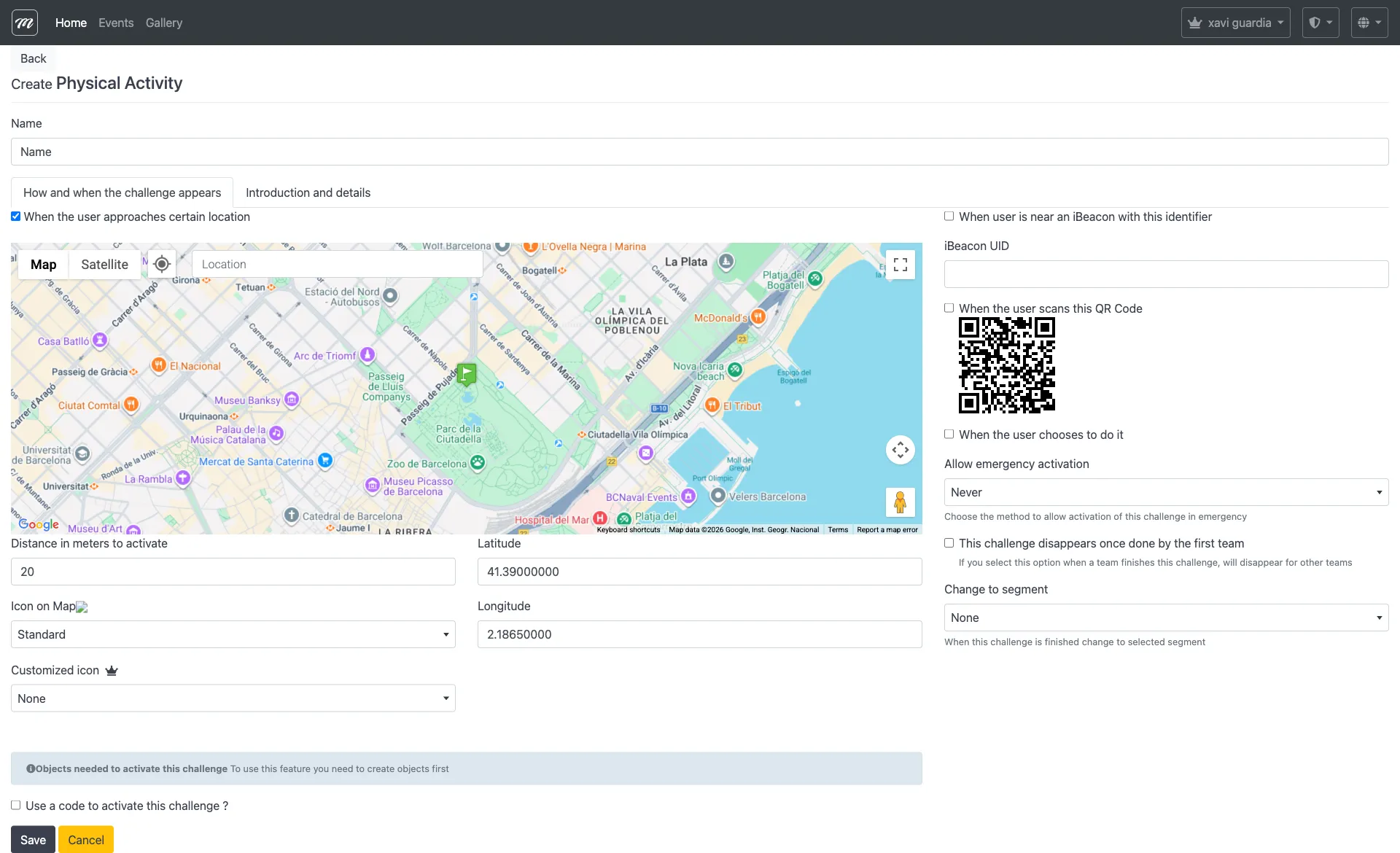
Type-specific fields
Section titled “Type-specific fields”Physical Activity uses only the common challenge fields — there are no additional type-specific fields. The activity description goes in the Introductory Text field.
| Field | Where to configure | Notes |
|---|---|---|
| Activity instructions | Introductory Text (common field) | HTML editor — supports images and embedded video |
| Points | Points (common field) | Awarded directly on completion |
Behavior and rules
Section titled “Behavior and rules”- The activity instructions are set in the Introductory Text field (HTML content with images and video support).
- This type has direct points — points are awarded immediately upon completion, without answer validation.
- Completion can be sensor-based (the app uses the phone’s gyroscope to detect balance or motion) or trust-based (the team confirms they performed the task).
- No staff scoring step is required, but pairing with a Picture/Video challenge at the same location lets you collect proof.