

AR Scenes
What it does
Section titled “What it does”AR Scenes define the augmented reality content that players see when they point their device at a real-world marker image. Each scene maps a printed marker to one of three content types: a replacement image, a video, or a 3D object. Scenes are assigned to AR-type challenges (AR Shell, MooveXR, MooveGoXR) so players experience augmented content during gameplay.
Requirements
Section titled “Requirements”- You must be logged in with the Admin or Agency role
- Marker images must be uploaded to the Gallery before creating scenes
- For 3D content, models must be uploaded to Gallery 3D first
How to access
Section titled “How to access”User dropdown (top-right) → AR Scenes
AR Scenes list
Section titled “AR Scenes list”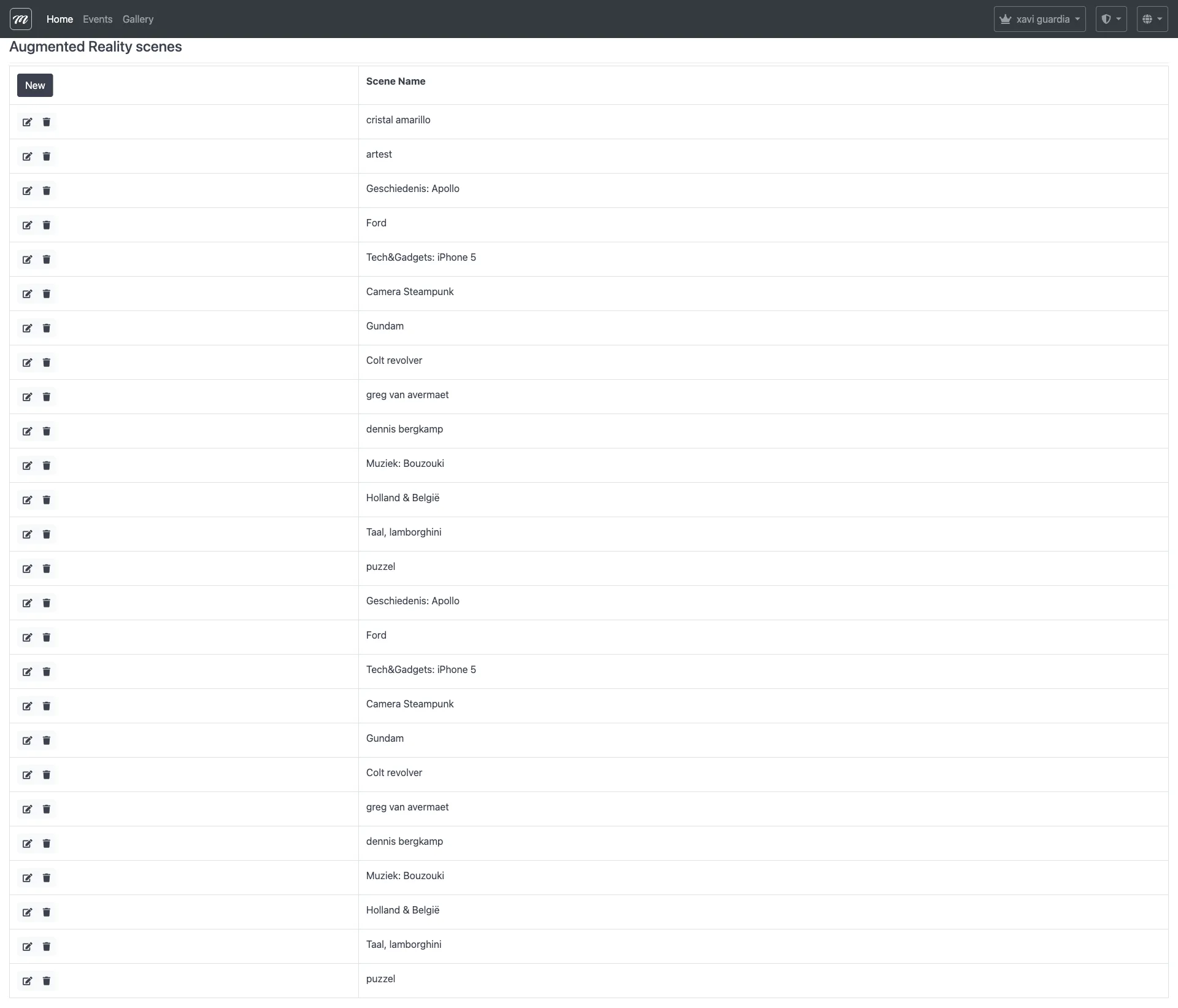
Scenes list
Section titled “Scenes list”The main view shows all AR scenes belonging to the current company.
| Column | Type | Description |
|---|---|---|
| (Actions) | Icons | Edit (pencil) and Delete (trash) per row |
| Scene Name | Display | Name of the augmented reality scene |
Actions
Section titled “Actions”| Action | Description |
|---|---|
| New | Opens the scene creation form |
| Edit (pencil) | Opens the edit form for an existing scene |
| Delete (trash) | Deletes the scene after confirmation |
Create / Edit form
Section titled “Create / Edit form”| Field | Type | Description | Required |
|---|---|---|---|
| Scene Name | Text (max 100) | Display name for the scene | Yes |
| Image to Augment | Image selector (Gallery) | The real-world marker image that triggers the AR overlay | Yes |
| Type of Augmentation | Select | Content type: Image, Video, or 3D Object | Yes |
| Augmented Image | Image selector (Gallery) | The overlay image (visible when type = Image) | Conditional |
| Video | Select (Characters/Videos) | The overlay video (visible when type = Video) | Conditional |
| 3D Object | Select (Gallery 3D) | The 3D model to display (visible when type = 3D Object) | Conditional |
| Width in cm | Number (8-200) | Physical width of the printed marker in centimeters — used by the AR engine for accurate scale tracking | Yes |
| Transform Scale | XYZ (X, Y, Z) | Scale multiplier for the augmented content | No |
| Transform Position | XYZ (X, Y, Z) | Position offset relative to the marker center | No |
| Transform Rotation | XYZ (X, Y, Z) | Rotation in degrees for each axis | No |
Behavior and rules
Section titled “Behavior and rules”- Type determines required fields. Selecting “Image” requires an Augmented Image; “Video” requires a Video persona; “3D Object” requires a Gallery 3D entry. The form conditionally shows/hides sections based on the selected type.
- Company-scoped. Each company sees only its own scenes.
- 3D objects come from the Gallery 3D — both public models and the company’s own private models are available.
- Transform properties control how the augmented content is positioned, scaled, and rotated relative to the marker. Defaults are identity (no transformation).
- Scenes are assigned to challenges. When configuring an AR Shell or other AR-type challenge, select which scene to use.
Related pages
Section titled “Related pages”- Gallery 3D — 3D model management (source of 3D Object selections)
- 3D Objects on Map — How 3D objects appear during gameplay
- Metaio AR Package — Legacy AR content package upload
- AR Shell (Challenge Type) — The challenge type that uses AR scenes
- Gallery — Image/video gallery (source of marker and augmented images)