

How do I create a challenge?
Before you start
Section titled “Before you start”- The event must be stopped
- Know what type of challenge you want (see Choose the right type if unsure)
- Open your event → Challenges tab.
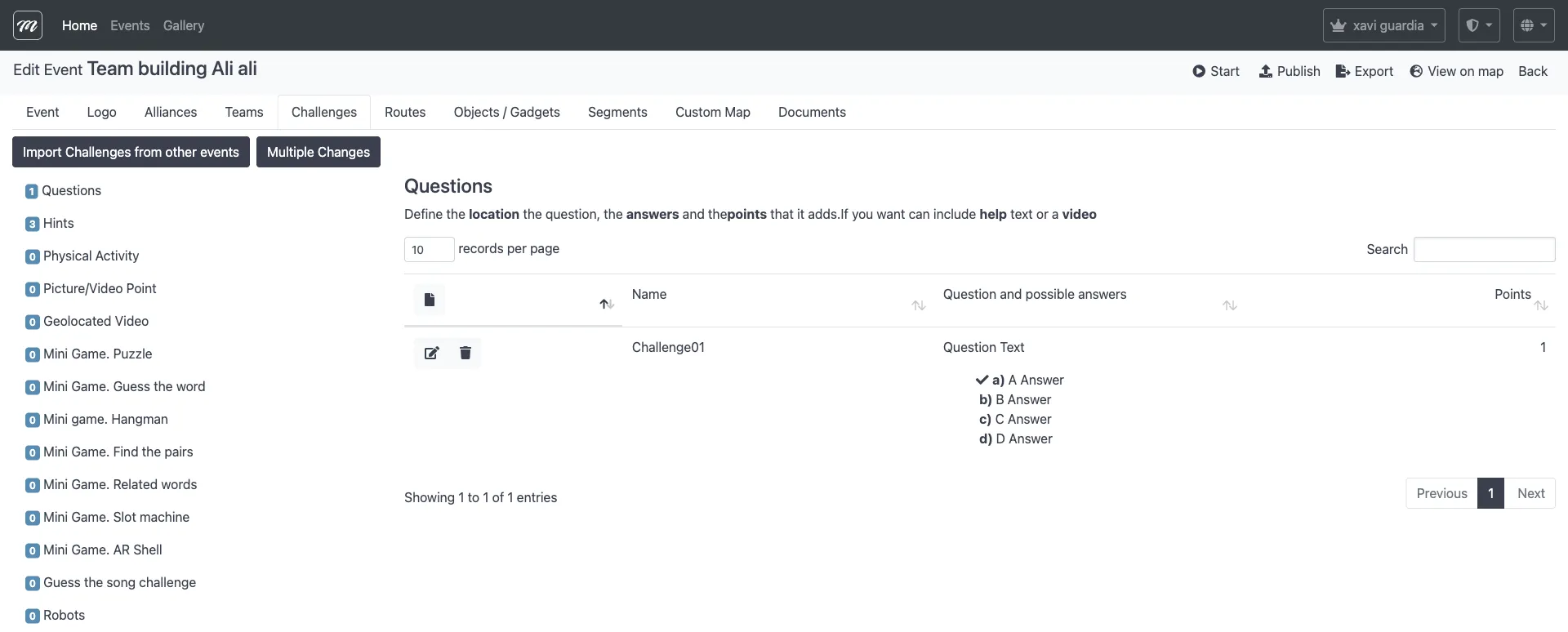
- Click New.
- Select a challenge type from the dropdown (Questions, Photo/Video, Puzzle, Hints, etc.).
- Fill in the common fields:
| Field | What to enter |
|---|---|
| Name | Challenge title (“History Quiz”, “Team Selfie”) |
| Question / Description | The instruction or question text |
| Points | How many points this is worth (use 0 for hints) |
| Location | GPS coordinates — type an address or click the map |
- Fill in the type-specific fields (answers for questions, time limit for photos, difficulty for puzzles, etc.).
- Click Save.
Result
Section titled “Result”The challenge appears in the Challenges tab list and the sidebar count updates. The challenge is now available to assign to routes.
If something goes wrong: “Editing is not allowed while the event is active” means the event is running. Stop it first, then create the challenge.
Not sure which type to pick? See Choose the right challenge type. For field-level detail on each type, see the Challenges reference.