

00 - MooveTeam Concepts
Table of Contents
Section titled “Table of Contents”- What is MooveTeam
- Product ecosystem
- System architecture
- Business model and credits
- MooveXR vs. MooveGoXR
- Premium features
- Core entities
- Challenge types
- Game mechanics
- Apps and devices
- Use cases
- Glossary
What is MooveTeam
Section titled “What is MooveTeam”MooveTeam is a GPS-based gamification SaaS platform that enables event companies, team-building agencies, educational institutions, and brands to create interactive geolocated experiences.
Value Proposition
Section titled “Value Proposition”- Free creation: Designing activities has no cost. You only pay when they are run with real clients.
- Pay-per-use: Usage-based payment model built on credits (1 credit = 1 device per activity).
- Multi-format: Supports outdoor, indoor, remote, and hybrid activities.
- Multi-platform: Native apps for iOS and Android, plus dedicated iPad apps.
- Customizable: Logos, maps, themes, seasonal skins, and 100% customized content.
History
Section titled “History”- 2013: MooveTeam founded in Barcelona.
- 2018: Launch of the self-guided experience format for the tourism market.
- 2023: Launch of MooveXR with augmented reality support.
- 2025: Launch of MooveGoXR 1.0 for self-guided experiences.
Product Ecosystem
Section titled “Product Ecosystem”MooveTeam is not a single app but rather an ecosystem of interrelated products:
MooveXR (staffed events)
Section titled “MooveXR (staffed events)”| Aspect | Details |
|---|---|
| Target | Event agencies, team-building companies |
| Model | Organized activities with on-site staff |
| Platforms | iOS, Android, iPad |
| Back-office | MooveTeam CMS |
| Differentiator | AR support (3D objects in glb/gltf), gadgets, team chat, staff control mode |
| Typical use | Corporate team building, AR treasure hunts, scavenger hunts, urban escape games |
MooveGoXR
Section titled “MooveGoXR”| Aspect | Details |
|---|---|
| Target | Tourism, education, self-guided experiences |
| Model | No staff required, fully self-service for the end user |
| Differentiator | WooCommerce integration for online sales, deep-link login, no AR |
| Typical use | Self-guided city tours, educational trails, nature-based experiences |
iPad Mode
Section titled “iPad Mode”MooveXR runs on iPad as well. When logged in with a staff account, the app switches to a staff control interface. The legacy names “MooveQuiz”, “MooveIndoor”, and “MoovePhotoCall” refer to MooveXR configured with different staff accounts and event types — they are not separate apps.
| Use case | How it works |
|---|---|
| Quiz / trivia | MooveXR on iPad + staff account + quiz-type event |
| Indoor activity | MooveXR on iPad + staff account + indoor event (iBeacons/QR, no GPS) |
| Photo booth | MooveXR on iPad + staff account + photo challenge event |
System Architecture
Section titled “System Architecture”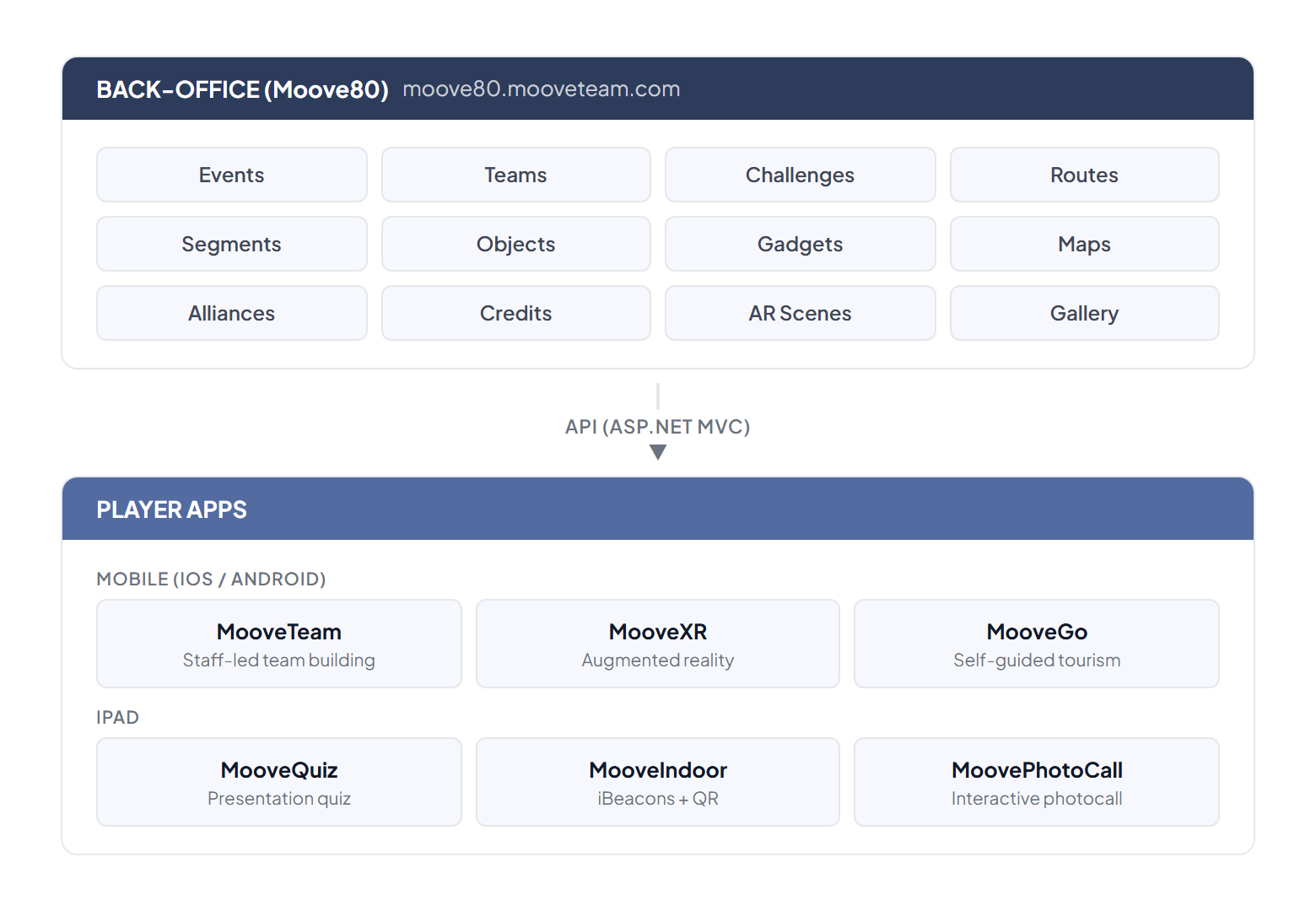
MooveTeam CMS (Back-Office)
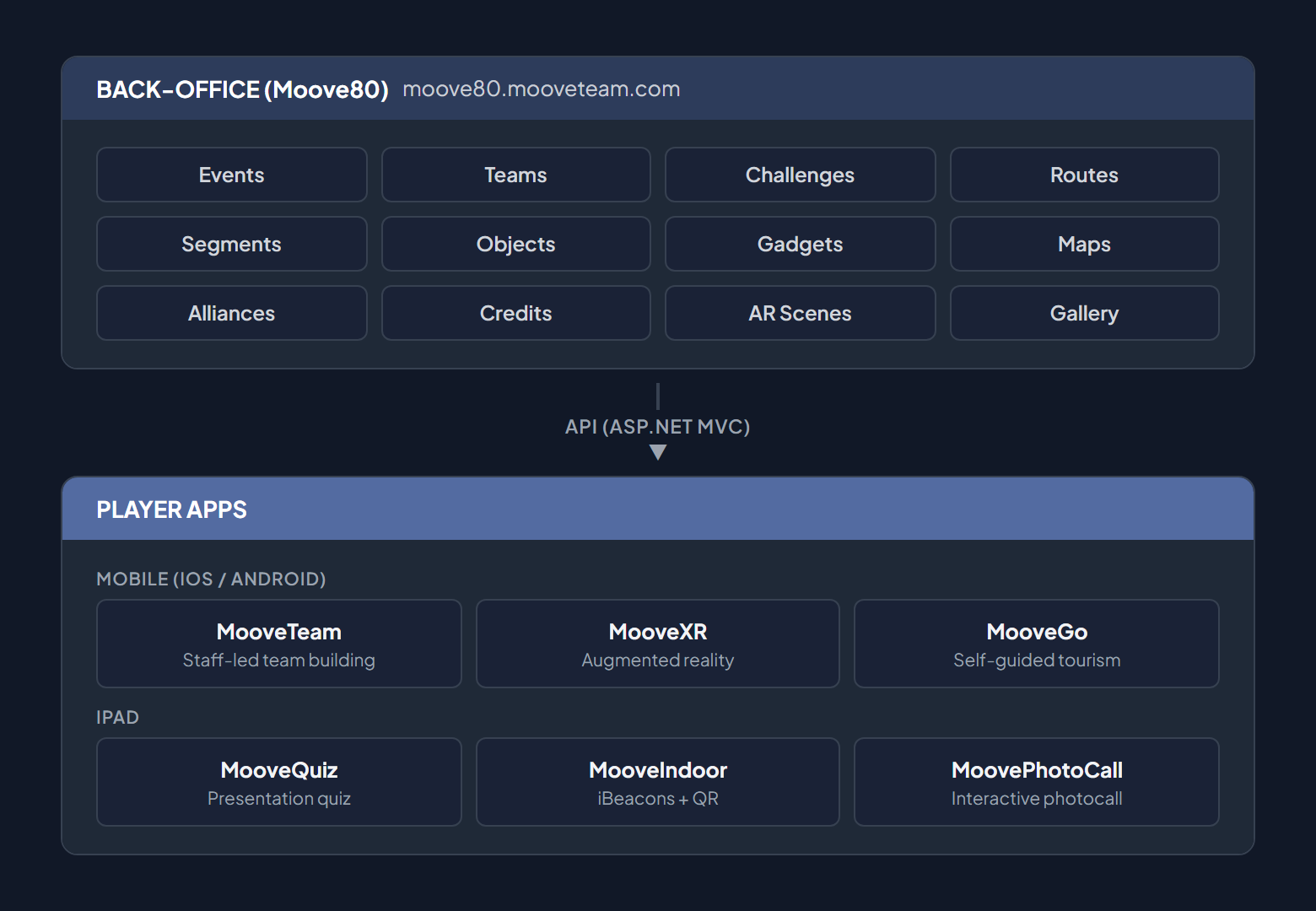
Section titled “MooveTeam CMS (Back-Office)”MooveTeam CMS is the web-based administration panel where all events are designed, configured, and managed.
From MooveTeam CMS you can:
- Create and edit events with all their components (teams, challenges, routes, etc.)
- Manage teams, routes, and challenges
- Configure visual customization (logos, maps, themes)
- Monitor live events (GPS tracking, scores)
- Manage credits and billing
- Administer users, companies, and tags
- Access the multimedia gallery (photos, videos, audio)
- Configure augmented reality scenes
- Export results and data
Technology
Section titled “Technology”| Component | Technology |
|---|---|
| Back-office | Web application (browser-based) |
| Authentication | Username/password (forms-based login) |
| Maps | Google Maps (geolocation, overlays) |
| Apps | Native iOS/Android |
| 3D formats | glb/gltf for AR objects |
| Indoor | iBeacons + QR codes |
Business Model and Credits
Section titled “Business Model and Credits”Credit System
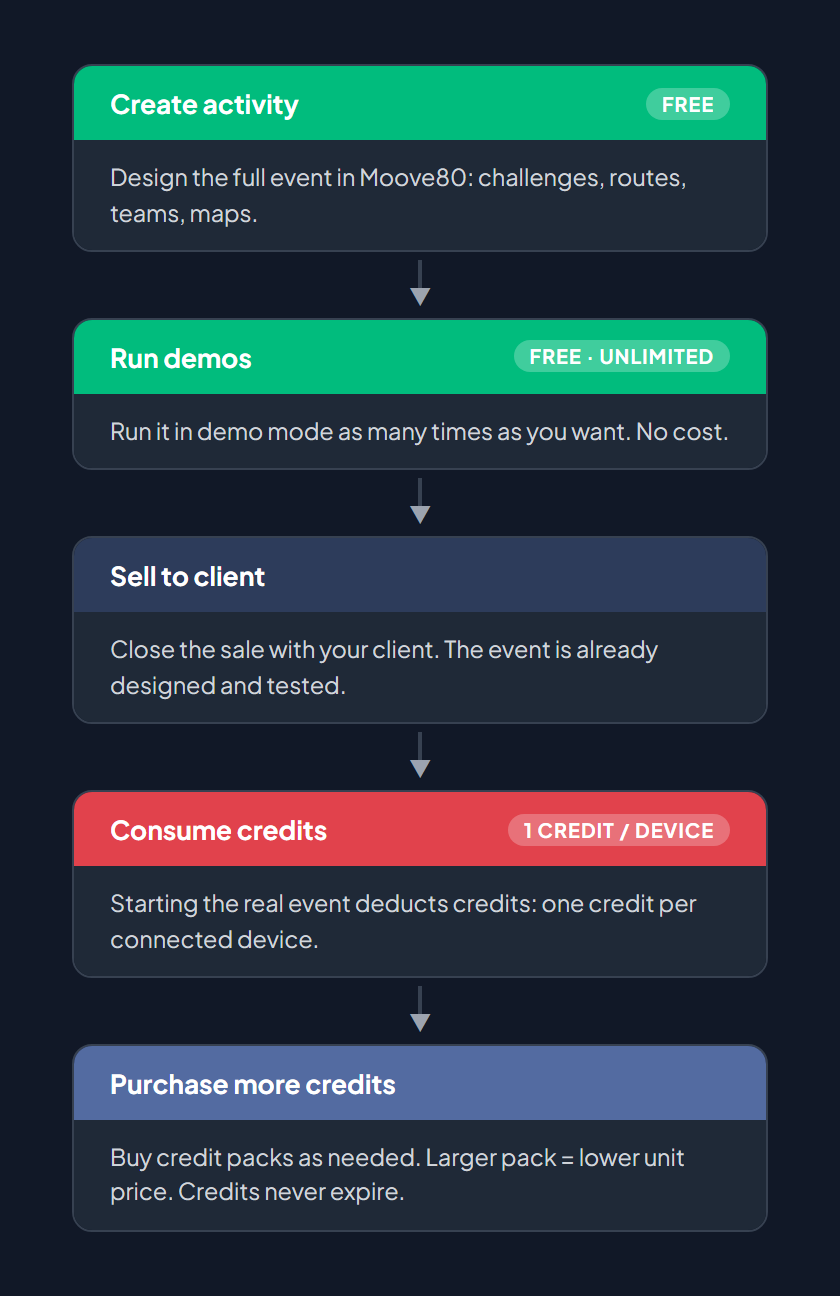
Section titled “Credit System”MooveTeam operates on a pay-per-use model based on virtual credits:
| Concept | Details |
|---|---|
| Cost per credit | Variable depending on the pack purchased (larger pack = lower unit price) |
| Consumption | 1 credit = 1 playing team per event |
| Team building equivalent | 1 team (up to 5 players) = 1 iPad = 1 credit |
| BYOD equivalent | 1 player = 1 device = 1 credit |
| Expiration | Credits do not expire |
| Demos | Free (limited to 2 teams) |
| Creation | Creating activities is always free |
Special Rates
Section titled “Special Rates”- Education: Reduced rate for schools, universities, and community projects
- Large packs: Progressive volume discounts
- Premium: Premium account with advanced features (custom icons, dynamic segments, etc.)
Economic Flow
Section titled “Economic Flow”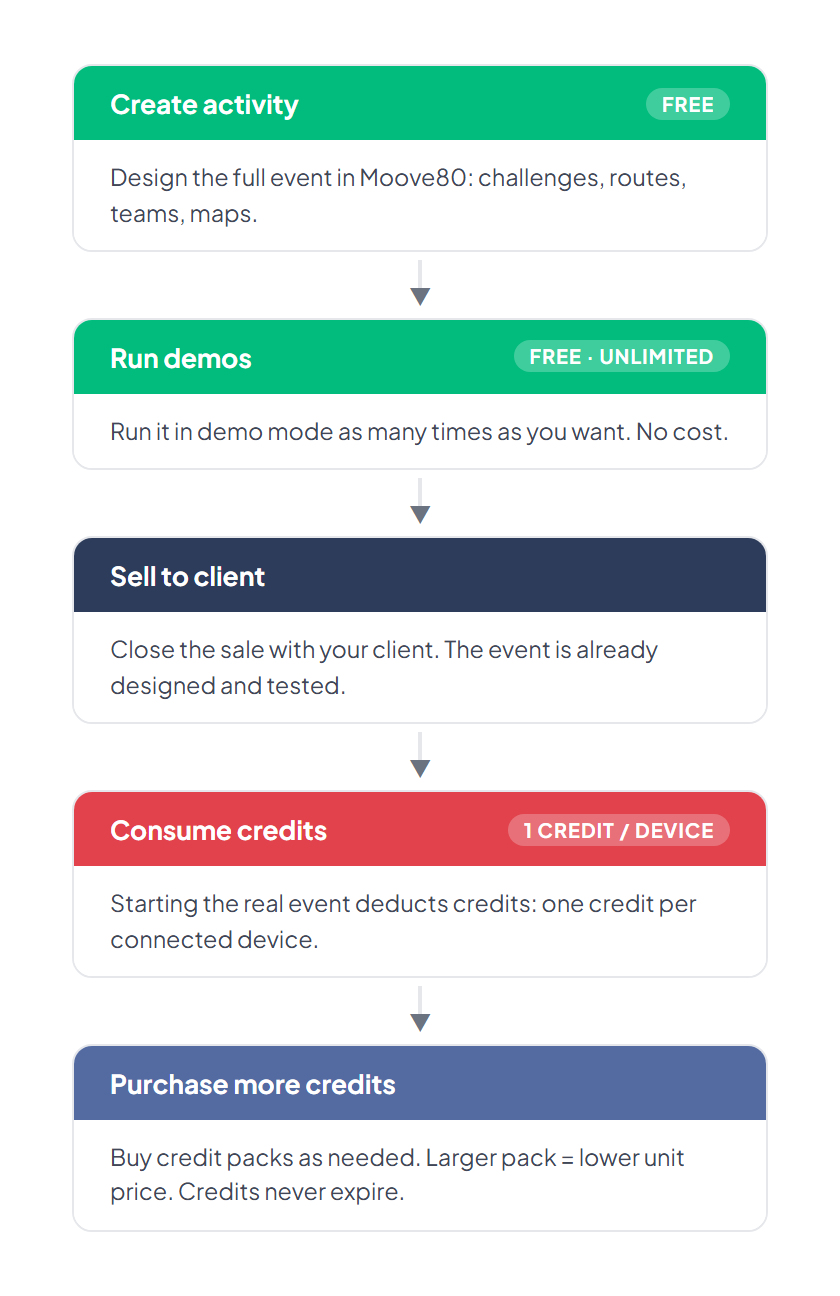
MooveXR vs. MooveGoXR
Section titled “MooveXR vs. MooveGoXR”MooveTeam serves two distinct markets with different operational models. Understanding which model applies to your events is important because it affects credits, team management, and sales workflows.
| Aspect | MooveXR | MooveGoXR |
|---|---|---|
| Market | Corporate team building, agencies | Tourism, self-guided experiences |
| Credit type | Credits (1 credit = 1 device) | Credits Go + Locators (unique access codes) |
| Team model | Teams created by the organizer | Individual players, no teams |
| Staff on-site | Yes — organizer runs the event | No — fully self-service |
| Sales channel | Direct sale by agency | Online via WooCommerce integration |
| Credit management | User Menu → Credits | Credits Go (managed by MooveTeam) |
Key difference for back-office users: If you manage MooveXR events, use the standard Credits system and the Teams tab. If you manage MooveGoXR events, use Credits Go (with Individual and E-commerce modes) and Locators instead of teams.
Premium Features
Section titled “Premium Features”Some MooveTeam CMS features are only available to premium accounts. Premium users see a crown icon next to their name. If a feature is marked “(Premium)” in this manual, it requires a premium subscription.
| Feature | Where to configure | Effect |
|---|---|---|
| Don’t allow users to switch segment | Event — General Data | Players cannot change segments during gameplay |
| Display rankings for active segment only | Event — General Data | Leaderboard shows only the current segment |
| Hide chat icon on app | Event — General Data | Removes the in-app chat button |
| Dynamic segments (auto-unlock) | Event — Segments | Segments unlock based on time, score, or challenge completion |
| Available Segments per team | Event — Teams | Restrict which segments each team can access |
| Custom map icons | Game Mechanics | Replace default map markers with custom images |
| Extended photo/video time limit | Picture / Video challenge | 60 seconds (vs. 20 seconds for standard accounts) |
Roles and Permissions
Section titled “Roles and Permissions”MooveTeam CMS has several user roles. Each role determines which sections and actions are available in the back-office. The table below shows the three roles relevant to event organizers.
| Feature | Agency | Viewer | Indoor |
|---|---|---|---|
| Events | |||
| View event list | ✅ | ✅ | ✅ |
| Create / Edit / Delete events | ✅ | ❌ | ❌ |
| Start / Stop / Restart events | ✅ | ❌ | ❌ |
| Manage teams | ✅ | ✅ (view) | ❌ |
| Manage challenges | ✅ | ❌ | ❌ |
| Manage routes / segments | ✅ | ❌ | ❌ |
| Manage objects / gadgets | ✅ | ✅ (view) | ❌ |
| View results / tracking | ✅ | ✅ | ❌ |
| User menu | |||
| My Data (account settings) | ✅ | ❌ | ❌ |
| Gallery | ✅ | ❌ | ❌ |
| Characters | ✅ | ❌ | ❌ |
| AR Scenes / Gallery 3D | ✅ | ❌ | ❌ |
| Downloads | ✅ | ❌ | ❌ |
| Accounting | ✅ | ❌ | ❌ |
Role descriptions:
- Agency — The main event management role. Can create and run events, manage all event components, and handle sales.
- Viewer — Read-only access to events. Can view event lists, team lists, gadget lists, and results/tracking. Cannot create, edit, or delete anything.
- Indoor — Restricted to the Indoor/Quiz event mode. Redirected to the Indoor event management page instead of the standard event interface.