

Questions (Quiz)
What it does
Section titled “What it does”The Questions challenge type presents the player with a knowledge question and one or more answer options. It supports multiple-choice (A/B/C/D/E/F), free-text answers, and multiple correct answers. This is the most commonly used challenge type.
Requirements
Section titled “Requirements”| Requirement | Value |
|---|---|
| Role | Agency or Admin |
| Event state | Event must be stopped |
Player experience
Section titled “Player experience”- The challenge activates when the team reaches the GPS location (or via QR/iBeacon/code).
- The player sees the question text and the answer options (or a free-text input field).
- The player selects an answer and submits.
- If configured, a correct/wrong feedback message is shown (text, image, or video).
- Points are awarded based on correctness.
Questions challenge creation form
Section titled “Questions challenge creation form”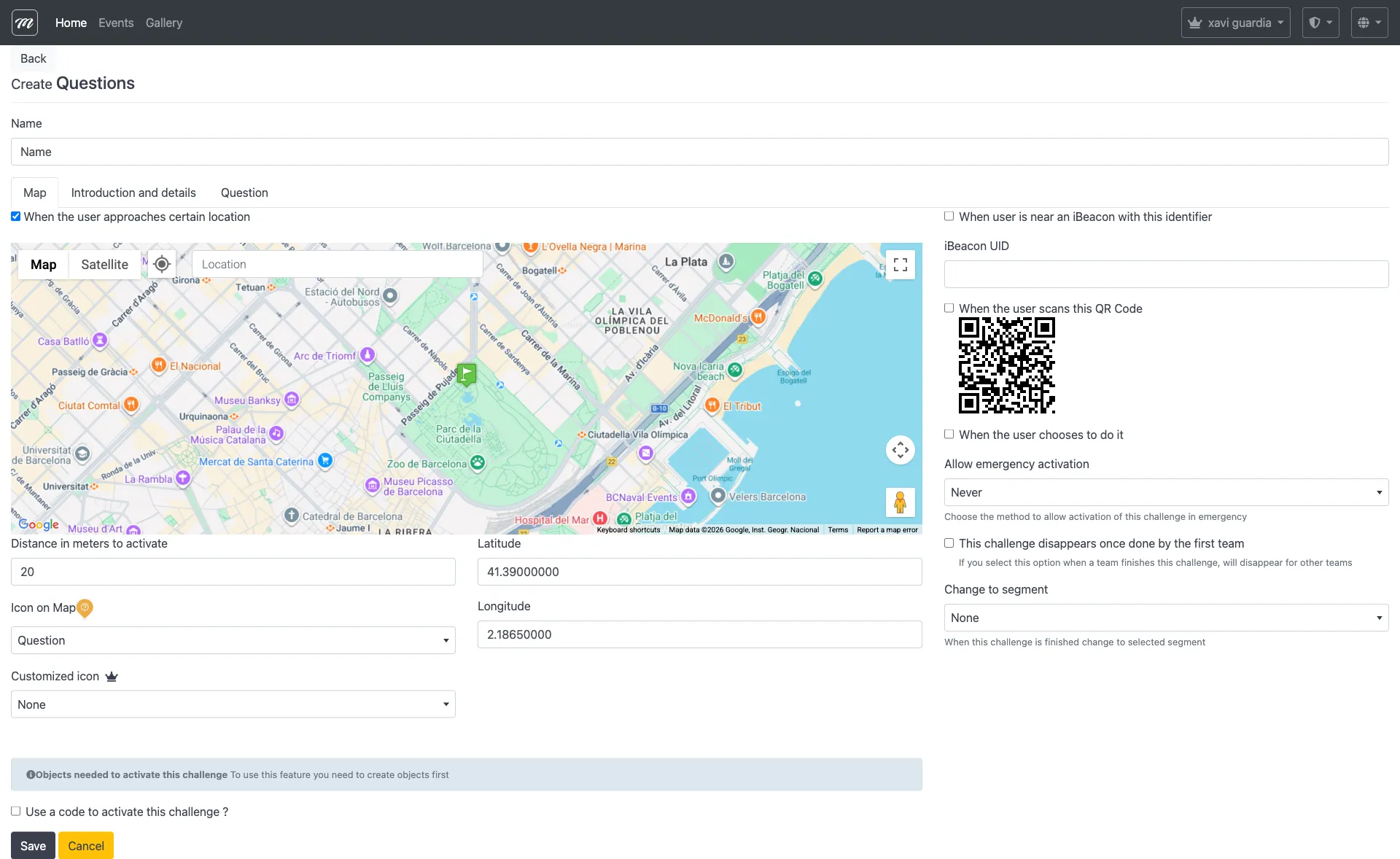
Type-specific fields
Section titled “Type-specific fields”These fields appear in addition to the common challenge fields. For list, create, edit, and delete operations, see Event — Challenges.
| Field | Type | Description | Required |
|---|---|---|---|
| Answer Type | Select | Multiple choice or free text | Yes |
| Question | Text | The question text shown to players | Yes |
| Answer A | Text | First answer option | Yes (for multiple choice) |
| Answer B | Text | Second answer option | No |
| Answer C | Text | Third answer option | No |
| Answer D | Text | Fourth answer option | No |
| Answer E | Text | Fifth answer option | No |
| Answer F | Text | Sixth answer option | No |
| Correct Answer | Select | Which answer(s) are correct | Yes |
| Show the correct answer after answering incorrectly | Checkbox | Displays the correct answer as feedback | No |
| Video/Message to show when answer is correct | HTML | Rich content shown on correct answer | No |
| Video/Message to show when answer is wrong | HTML | Rich content shown on wrong answer | No |
Behavior and rules
Section titled “Behavior and rules”- Multiple choice allows up to 6 options (A-F). At least option A is required.
- Free text mode compares the player’s typed answer against the correct answer string.
- Points are awarded only for correct answers. Incorrect answers score 0.
- Correct/wrong feedback supports HTML with embedded images from the gallery. Images are auto-cleaned on save.