

Hints
What it does
Section titled “What it does”The Hints challenge type displays informational content to the player without requiring any answer or interaction. It is used for storytelling, providing context, giving instructions, or setting the scene before action-oriented challenges. Hints default to 0 points.
Requirements
Section titled “Requirements”| Requirement | Value |
|---|---|
| Role | Agency or Admin |
| Event state | Event must be stopped |
Player experience
Section titled “Player experience”- The challenge activates when the team reaches the GPS location (or via QR/iBeacon/code).
- The player sees the hint content — text, images, video, or a combination.
- The hint is marked as “done” after viewing.
- No scoring interaction — the challenge completes automatically.
Hints challenge creation form
Section titled “Hints challenge creation form”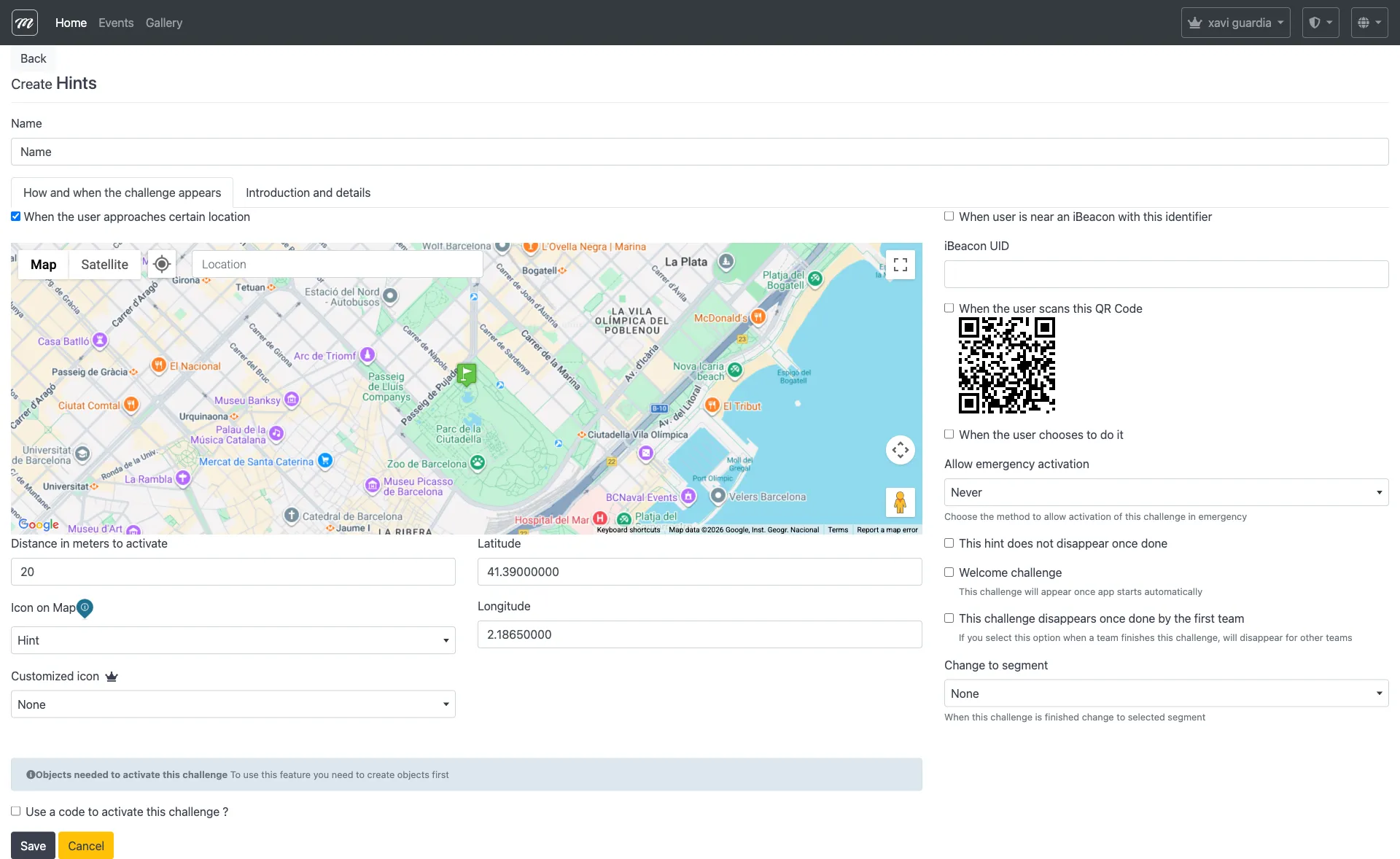
Type-specific fields
Section titled “Type-specific fields”These fields appear in addition to the common challenge fields:
| Field | Type | Description | Required |
|---|---|---|---|
| This hint does not disappear once done | Checkbox | Keeps the hint visible on the map even after the team has viewed it | No |
| Welcome challenge | Checkbox | Displays this hint automatically when the team first joins the event | No |
Behavior and rules
Section titled “Behavior and rules”- Points default to 0. When creating a Hint, the points field is automatically set to 0 since hints are informational.
- Hints can include rich HTML content with images and video via the Introductory Text field.