

Mini Game: Find the Pairs
What it does
Section titled “What it does”The Find the Pairs challenge is a memory card-matching game. Players flip cards to find matching pairs of images. Each gallery image appears exactly twice, creating a set of paired cards that must be matched.
Requirements
Section titled “Requirements”| Requirement | Value |
|---|---|
| Role | Agency or Admin |
| Event state | Event must be stopped |
Player experience
Section titled “Player experience”- The challenge activates when the team reaches the GPS location.
- The player sees a grid of face-down cards.
- The player taps a card to flip it and reveal the image.
- The player taps a second card. If both images match, the pair stays face-up.
- If they do not match, both cards flip back face-down after a brief delay.
- The game ends when all pairs are found or the timer expires.
- Points are awarded based on completion time and number of attempts. Timeout = 0 points.
Find the Pairs challenge creation form
Section titled “Find the Pairs challenge creation form”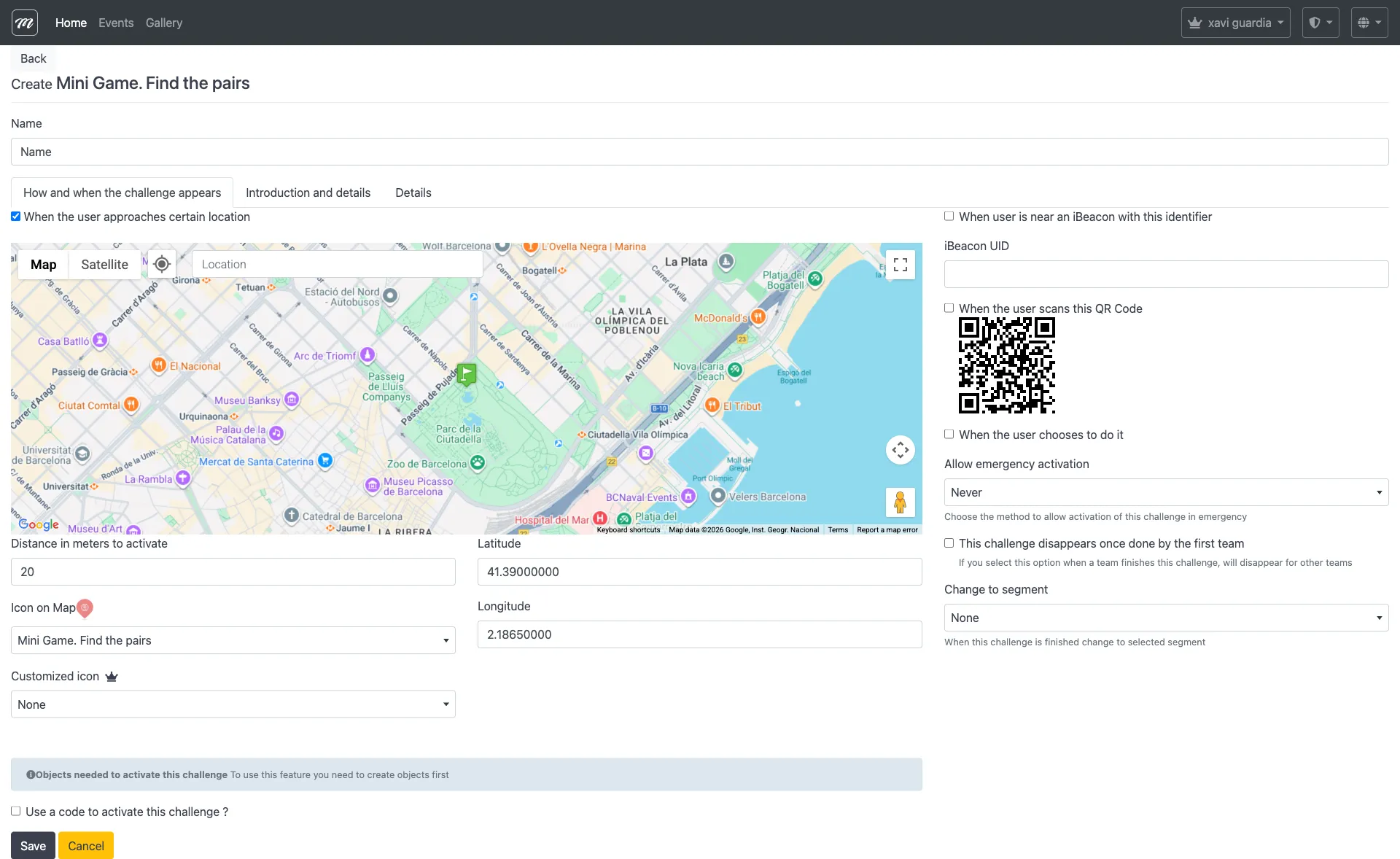
Type-specific fields
Section titled “Type-specific fields”Find the Pairs uses only the common challenge fields. The card images are configured through gallery image associations:
| Field | Where to configure | Notes |
|---|---|---|
| Card images | Gallery images (link from company gallery) | 2-8 images; each becomes a pair of cards |
| Points | Points (common field) | Awarded on matching all pairs before timeout |
Behavior and rules
Section titled “Behavior and rules”- Select images from the gallery and link them to the challenge.
- The number of images determines the grid size: 2 images = 4 cards, 4 images = 8 cards, 8 images = 16 cards.
- This type has direct points — scoring is automatic.
- Fewer attempts (card flips) and faster completion yield a higher score.
- Card backs display a custom image.
Related pages
Section titled “Related pages”- Challenge Types Overview
- Slot Machine — Also uses gallery images (same 2-8 image validation)
- Event — Challenges