

Key Concepts
Events
Section titled “Events”An event is the container for everything. It holds your teams, challenges, routes, and settings. It functions as a project container.
Every event has:
- A name
- A number of team slots
- A duration (in days — the access window, not a gameplay timer)
- A center location on the map
- A visual theme (pirate, medieval, Christmas, and more)
You can create as many events as you want for free. You only pay credits when you start one with real participants.
Lifecycle of an event:


A team is a group of players who compete together. You create teams inside an event and assign each team a name and a number.
Players join their team by scanning a QR code or tapping a link you send them. Once they join, their phone becomes the team’s device — it shows the map, tracks their position, and lets them complete challenges.
Key facts about teams:
- You set the maximum number of teams when creating the event
- Each team can have one or more players sharing a single device (tablet mode), or each player can use their own phone (BYOD mode)
- You can import teams from a CSV file instead of adding them one by one
- You can mark a team as “Organization Staff” — staff teams can monitor the event from the app without competing
Alliances
Section titled “Alliances”An alliance is a cooperative grouping of teams. Teams in the same alliance share a combined score while still competing individually. This creates a two-layer dynamic: teams compete within their alliance for individual ranking, and alliances compete against each other for the group ranking.
Use alliances when you want large groups (e.g., departments or offices) to cooperate while still encouraging individual team effort.
Challenges
Section titled “Challenges”A challenge is a task that teams must complete to earn points. Challenges are the core of the gameplay — they are what players actually do.
MooveTeam supports 14 challenge types, grouped by what they ask players to do:
Knowledge
Section titled “Knowledge”| Type | What it does |
|---|---|
| Questions | Multiple-choice or free-text questions |
Creative
Section titled “Creative”| Type | What it does |
|---|---|
| Picture / Video | Take a photo or record a video as proof |
| Physical Activity | Perform a physical task (dance, pose, exercise) |
Narrative
Section titled “Narrative”| Type | What it does |
|---|---|
| Hints | Show information — a clue, a story, an instruction. No scoring. |
| Geolocated Video | Play a video when the team reaches a location |
Mini-games
Section titled “Mini-games”| Type | What it does |
|---|---|
| Puzzle | Reassemble a jigsaw image |
| Guess the Word | Figure out a hidden word from clues (includes a hangman variant in the player app) |
| Find the Pairs | Memory card-matching game |
| Related Words | Group words by category |
| Slot Machine | Luck-based slot machine |
Reward
Section titled “Reward”| Type | What it does |
|---|---|
| Prizes | Spin a slot machine to win virtual prizes |
Advanced
Section titled “Advanced”| Type | What it does |
|---|---|
| AR Shell | Find virtual objects using augmented reality |
| Guess the Song | Identify a song from an audio clip |
| Robots | Interact with a programmable robot |
How challenges activate
Section titled “How challenges activate”Players do not manually pick challenges from a list. Challenges activate when something triggers them:
| Trigger | How it works |
|---|---|
| GPS proximity | The player walks near the challenge location. The app detects it and opens the challenge. |
| QR code | The player scans a physical QR code you placed at the location. |
| Bluetooth beacon | For indoor events — a small device triggers the challenge when players walk past it. |
| Map tap | If you enable it, players can tap an icon on the map to start the challenge (no walking required). |
| Chaining | Completing one challenge automatically triggers the next one. |
Most outdoor events use GPS proximity. Indoor events use QR codes or Bluetooth beacons. You choose per challenge.
Routes
Section titled “Routes”A route is a path through the event — a specific set of challenges in a specific order. You assign teams to routes.
Without routes, all teams converge on the same locations simultaneously. Routes split teams across different paths so they spread out across the map.
Example:
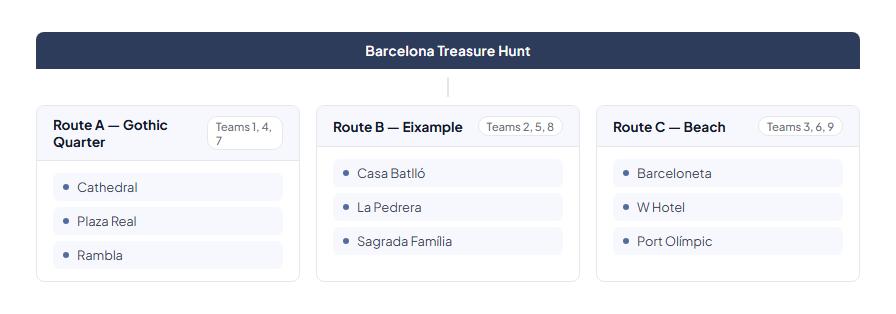
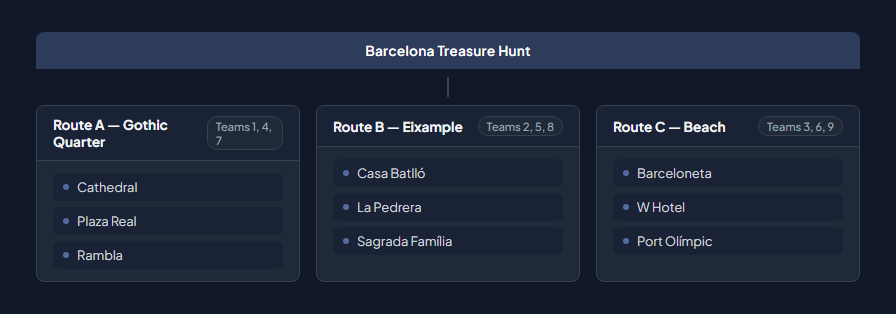
All three routes can have different challenges, the same challenges in different order, or a mix. You decide.
Segments
Section titled “Segments”A segment is a phase or level within an event. Segments create progression — teams must finish one phase before the next one opens.
Segments function as sequential phases:
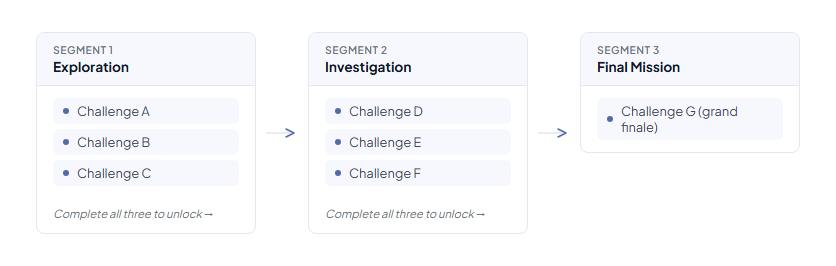
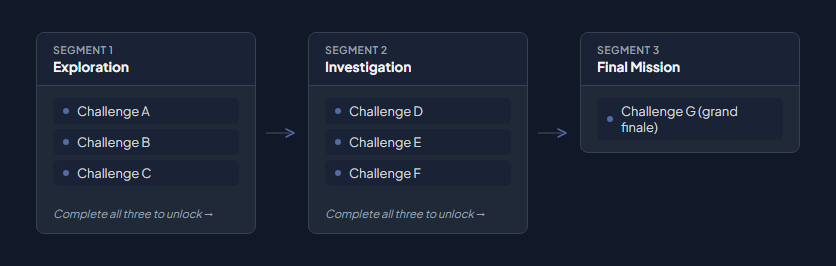
Without segments, all challenges are available from the start. With segments, you control the pace and create a narrative arc.
Premium feature: Dynamic segments can unlock based on time, score, or collecting specific objects — not just completing challenges.
Objects and Gadgets
Section titled “Objects and Gadgets”These two are often confused. Here is the difference:
Objects (Collectibles) — help your own team
Section titled “Objects (Collectibles) — help your own team”An object is a virtual collectible item that teams find to unlock progress. Teams earn objects by completing challenges, and they may need objects to unlock other challenges or segments.
Example: Complete the “Find the Key” challenge → receive the “Golden Key” object → use the Golden Key to unlock the “Open the Vault” challenge.
Objects create puzzle-like progression. They are tools for your benefit.
Gadgets (Sabotage tools) — mess with other teams
Section titled “Gadgets (Sabotage tools) — mess with other teams”A gadget is a sabotage tool that teams use to attack rivals (e.g., a Screen Bomb that covers their display with an explosion). Each team starts with a limited supply.
The ten gadget effects:
| Gadget | What it does to the target team |
|---|---|
| Bomb | Explosion animation covers their screen |
| Drunk Screen | Screen wobbles as if drunk |
| X-Ray | X-ray visual filter on their screen |
| Scaring Ghost | Jump-scare effect |
| Fart | Plays a fart sound |
| Love | Hearts animation covers their screen |
| Fireworks | Fireworks animation |
| Broken Screen | Screen appears cracked |
| Inverted Screen | Everything flips upside down |
| Lock Screen | Screen locks temporarily — they cannot do anything |
Gadgets are strategic: you have a limited number, so choosing when and who to target matters.
| Objects | Gadgets | |
|---|---|---|
| Who benefits? | Your own team | Hurts rival teams |
| Purpose | Progression (unlock things) | Competition (slow others down) |
| Supply | Earned by completing challenges | Fixed starting stock |
How it all connects
Section titled “How it all connects”Here is how the six building blocks fit together inside one event:
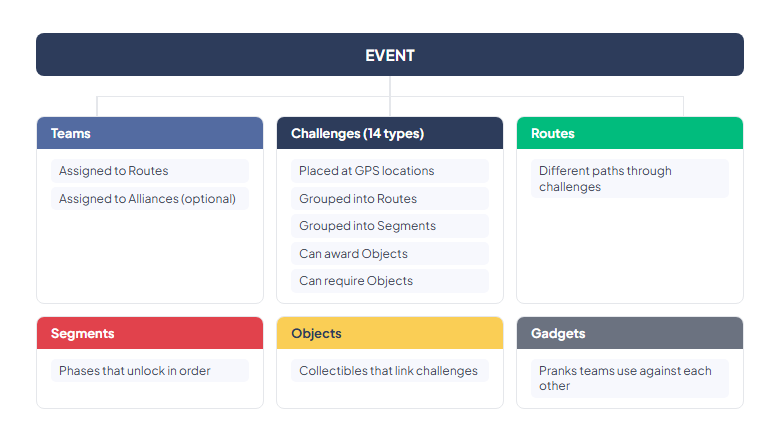
You do not need to use every building block. A simple event can be just teams + challenges. Routes, segments, objects, and gadgets add complexity — use them when the event design calls for it.
Next: Logging In — what you see when you open MooveTeam CMS for the first time.