

How to complete a challenge
Step by step
Section titled “Step by step”1. Find the challenge
Section titled “1. Find the challenge”Look at the map. Challenge markers are the numbered pins. Walk toward one — or, if your event has a route, follow the route order.
2. Activate it
Section titled “2. Activate it”When you’re close enough (usually within 20 meters), the challenge activates automatically. A briefing screen appears with instructions.
If the challenge doesn’t activate:
- You might not be close enough yet. Keep walking.
- It might require a QR scan — look for a printed QR code at the location.
- It might require an activation code — ask a staff member or look for the code posted at the venue.
- It might require items in your inventory — check the message to see what you’re missing.
If all else fails and the organizer enabled map-tap activation, you can tap the marker directly on the map.
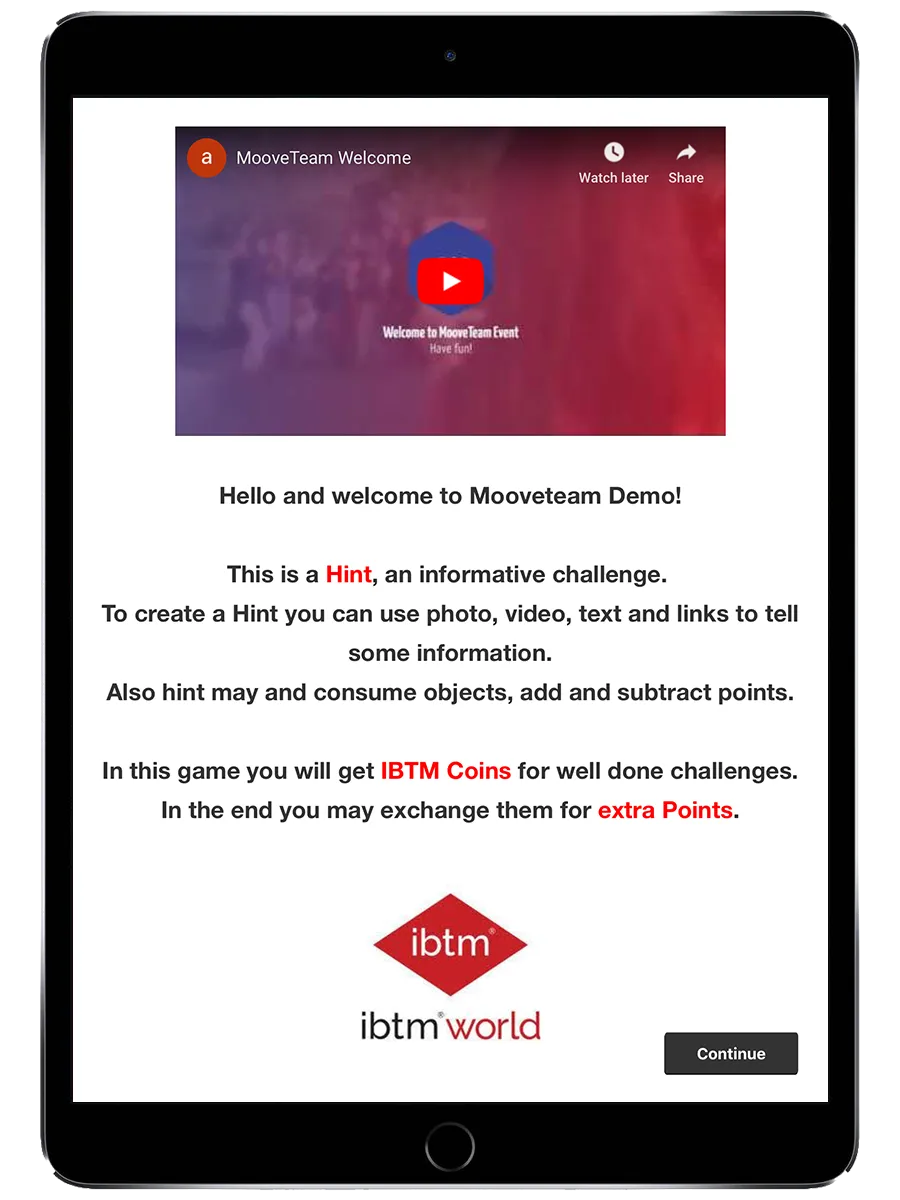
3. Read the briefing
Section titled “3. Read the briefing”The briefing tells you what to do. Read it carefully — it might include text, images, or a video. Tap to start the challenge when you’re ready.
4. Play
Section titled “4. Play”The challenge type determines what you do:
- Question — Pick an answer or type one
- Photo/Video — Take a photo or record a video
- Puzzle — Drag pieces into place
- Mini-game — Play the game (word guessing, memory, slot machine, etc.)
A timer may be counting down. Watch for the red warning when 20% of your time remains.
5. Submit
Section titled “5. Submit”When you finish (or time runs out), the app submits your result. You see whether you were right or wrong, and you return to the map.
For photo/video and free-text challenges, your answer goes to the staff queue for scoring. You won’t see your points immediately.