

GoXR Event Results
MooveGoXR includes end-of-event features designed for self-guided experiences where participants complete the event on their own schedule.
Event results screen
Section titled “Event results screen”When you complete all challenges in the event (or the event timer expires), MooveGoXR displays a results summary:
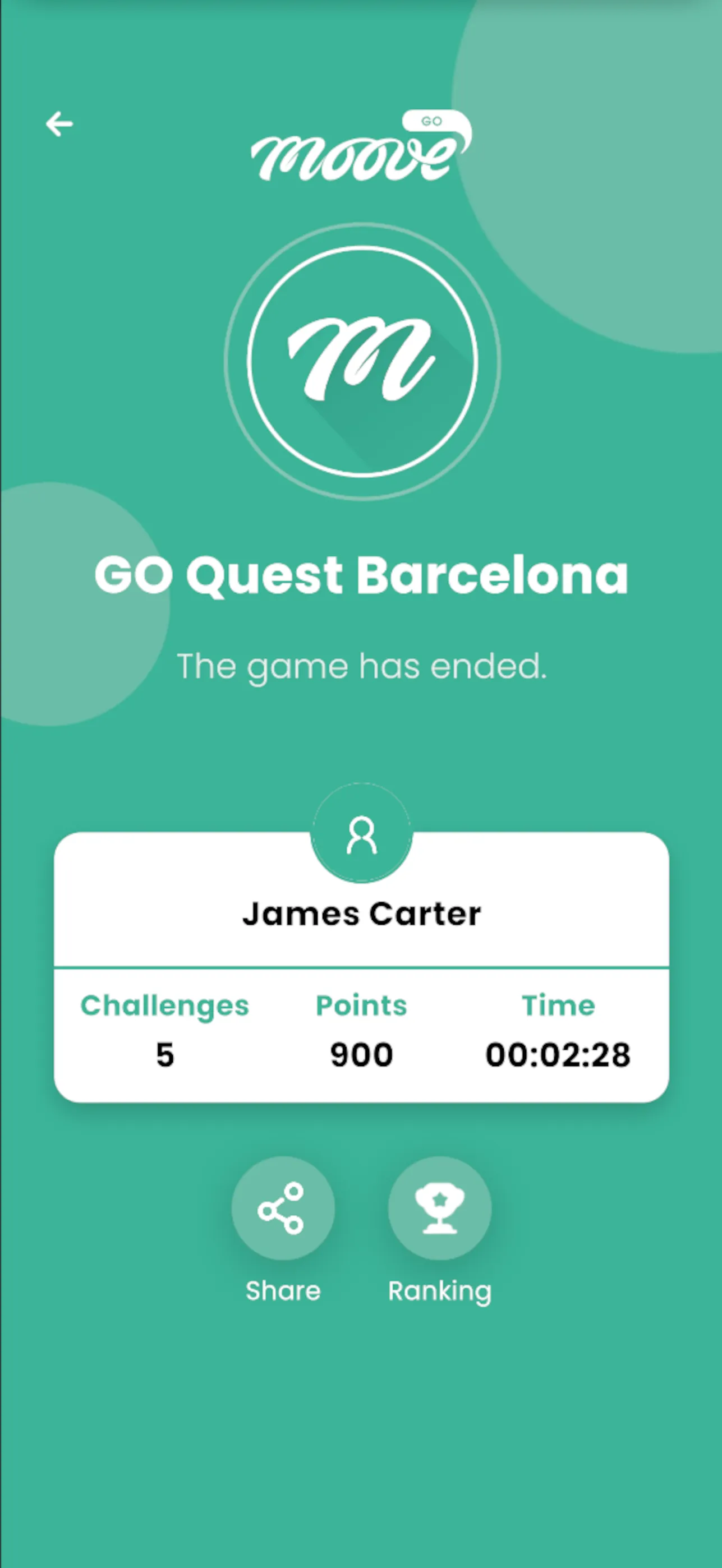
- Your final score — total points earned
- Challenges completed — how many you finished
- Time elapsed — how long you took to complete the event
- Share — Share your results with others
- Ranking — See where you placed compared to other participants
This screen appears automatically when the event ends. You can also access it from the app menu after the event is over.
Event timer
Section titled “Event timer”Some MooveGoXR events have a countdown timer set by the organizer. The timer starts when you begin playing and counts down to zero. When time runs out, the event ends automatically and your results are submitted.
The timer is visible in the app’s navigation area during gameplay.
Ticket validation
Section titled “Ticket validation”MooveGoXR events accessed via deep links include ticket validation. If there is a problem with your access:
| Error | Meaning | What to do |
|---|---|---|
| Invalid ticket | The link or code is not recognized | Contact the organizer for a new link |
| Ticket expired | The event access window has closed | The event is no longer available |
| Ticket already used | Someone else already used this link | Contact the organizer — each ticket is single-use |
Session resume
Section titled “Session resume”If the app closes unexpectedly (crash, phone restart, accidental close), MooveGoXR can resume your session:
- Reopen the app
- The app detects your previous session
- Your progress is restored — all completed challenges, collected items, and score are preserved
- You continue from where you left off
Progress is saved locally on the device. As long as you reopen the app on the same device, your session is recoverable.
Related pages
Section titled “Related pages”- GoXR Onboarding — How to join a MooveGoXR event
- Ranking — Live leaderboard during the event
- Player Apps overview — Which app to use and when