

Question
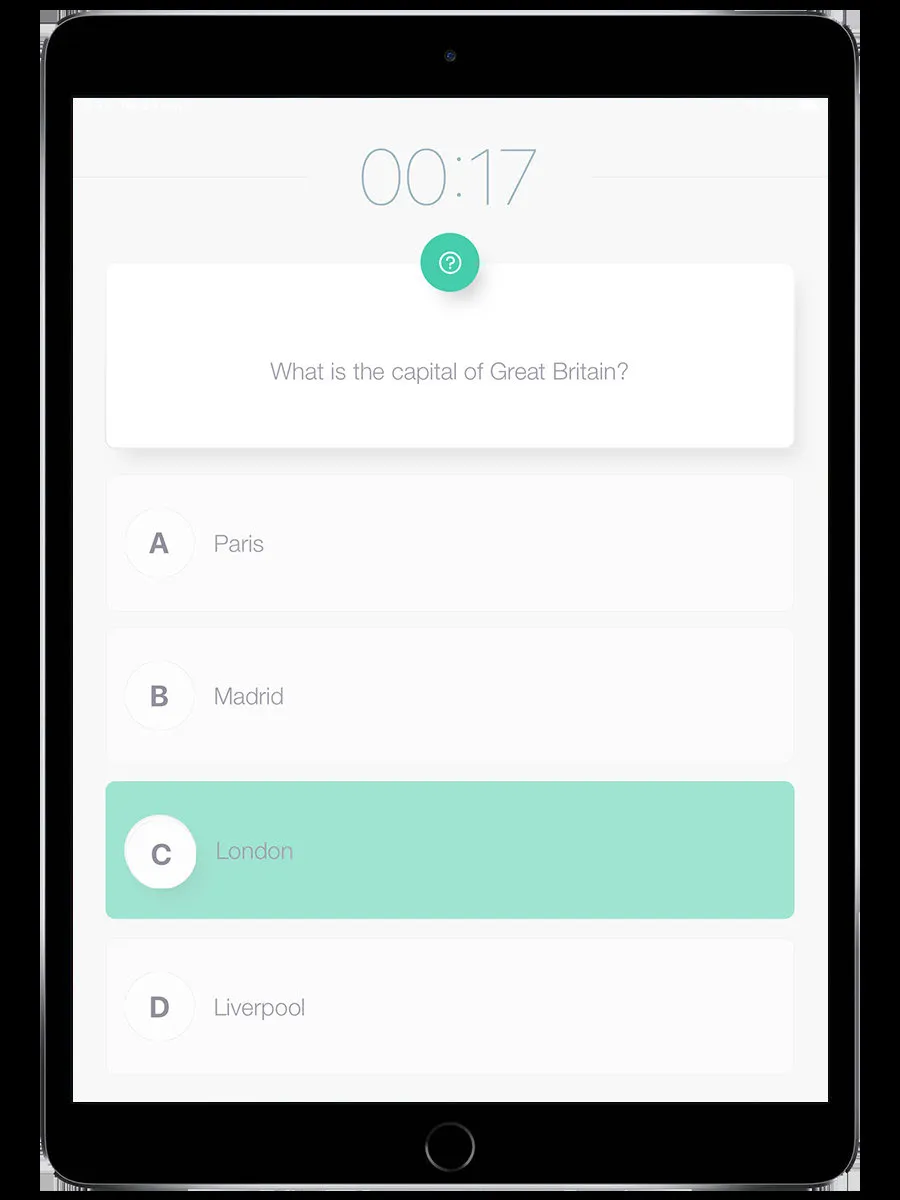
A quiz challenge. You see a question and either pick from multiple-choice answers or type a free-text response.
How it works
Section titled “How it works”- The question appears on screen with the countdown timer
- Multiple choice: Tap the answer you think is correct (up to 6 options)
- Free text: Type your answer and submit
- The app tells you if you were right or wrong (unless it’s staff-scored)
Scoring
Section titled “Scoring”- Multiple choice: Auto-scored instantly. Right answer = full points. Wrong = zero.
- Free text with auto-scoring: The app compares your answer to the expected answer.
- Free text with staff scoring: Your answer goes to the staff queue. A staff member reads it and decides how many points to award.
The organizer can set bonus points for the first three teams to answer correctly.
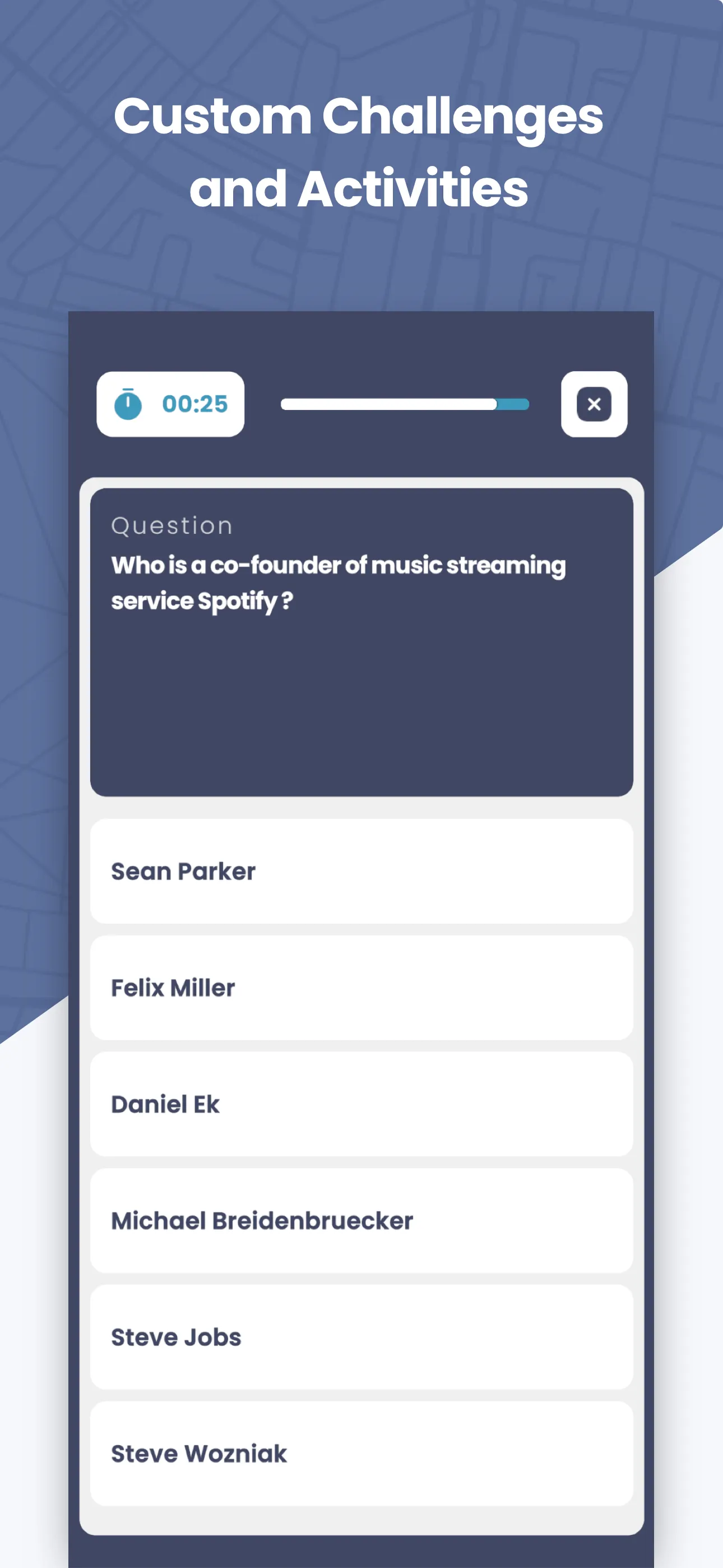
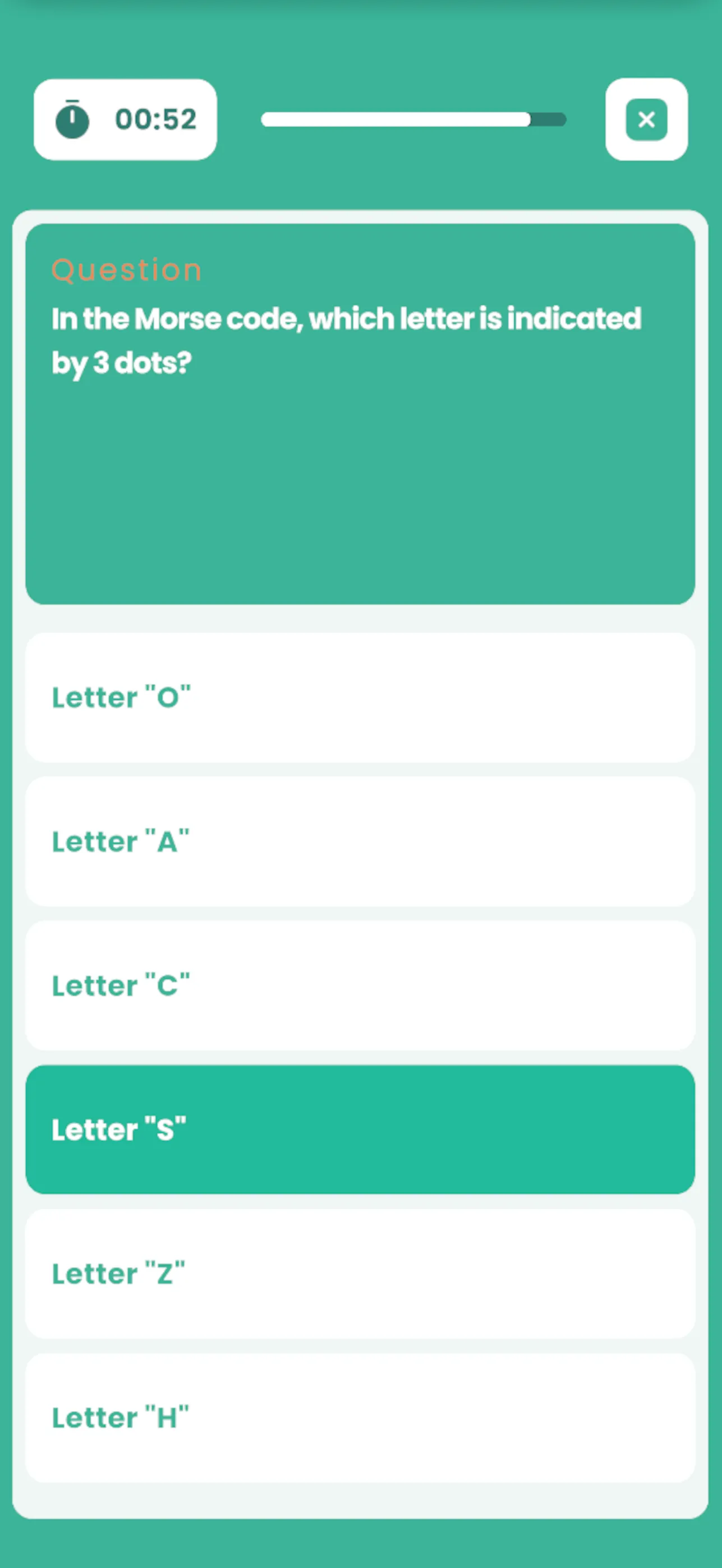
The appearance differs slightly between apps — MooveXR uses a dark blue theme, MooveGoXR uses green:
The “star” trick
Section titled “The “star” trick”If the organizer marks one answer with a star (*), all answers are considered correct. This is sometimes used for opinion questions or ice-breaker challenges where there’s no wrong answer.
Related pages
Section titled “Related pages”- Challenges overview — How all challenges work
- Staff Mode — How staff score free-text answers