

AR Image Tracking
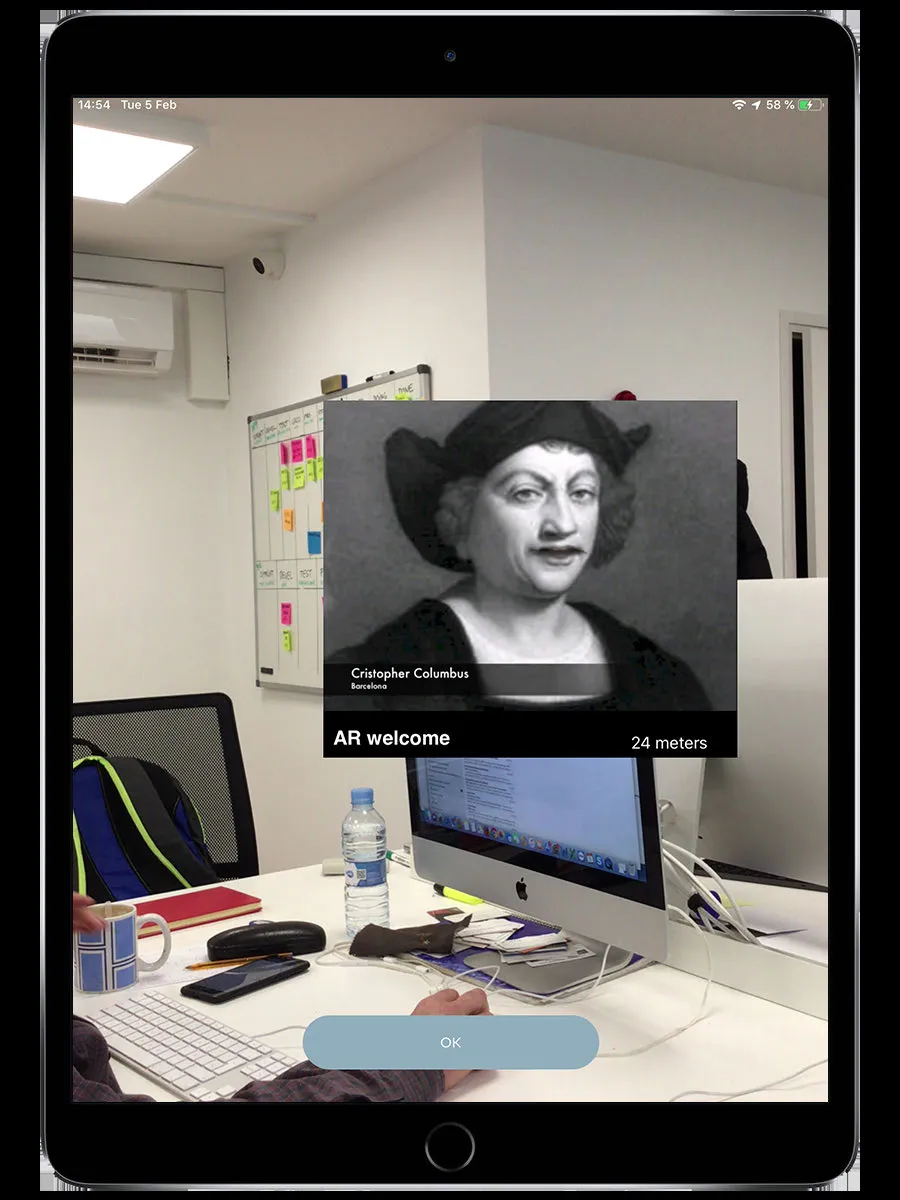
An augmented reality challenge. Point your camera at a physical marker (a printed image, poster, or sign at the venue) and the app overlays digital content on top of it.
How it works
Section titled “How it works”- Walk to the challenge location
- Open the AR camera
- Point it at the marker image the organizer placed at the venue
- The app recognizes the image and displays the AR content
What appears depends on the event:
| Content type | What you see |
|---|---|
| Image | A digital image appears on top of the marker |
| Video | A video plays on the marker’s surface |
| 3D model | A 3D object appears anchored to the marker |
- Hold your device steady while pointing at the marker
- Make sure the marker is well-lit and fully visible in the camera frame
- The marker needs to be flat and not crumpled or folded
Device requirements
Section titled “Device requirements”Requires an AR-capable device (ARCore on Android, ARKit on iOS).
Scoring
Section titled “Scoring”Auto-scored. Points are awarded when the app successfully recognizes the marker and displays the content.
Related pages
Section titled “Related pages”- AR Features — How AR works in MooveXR
- Challenges overview — How all challenges work