

How do I track teams live?
Before you start
Section titled “Before you start”- The event must be running
- Go to the Events list.
- Click the
 toolbox icon on your event’s row to open the dropdown menu.
 - Click Results (
 pencil icon). This opens the tracker / results dashboard.
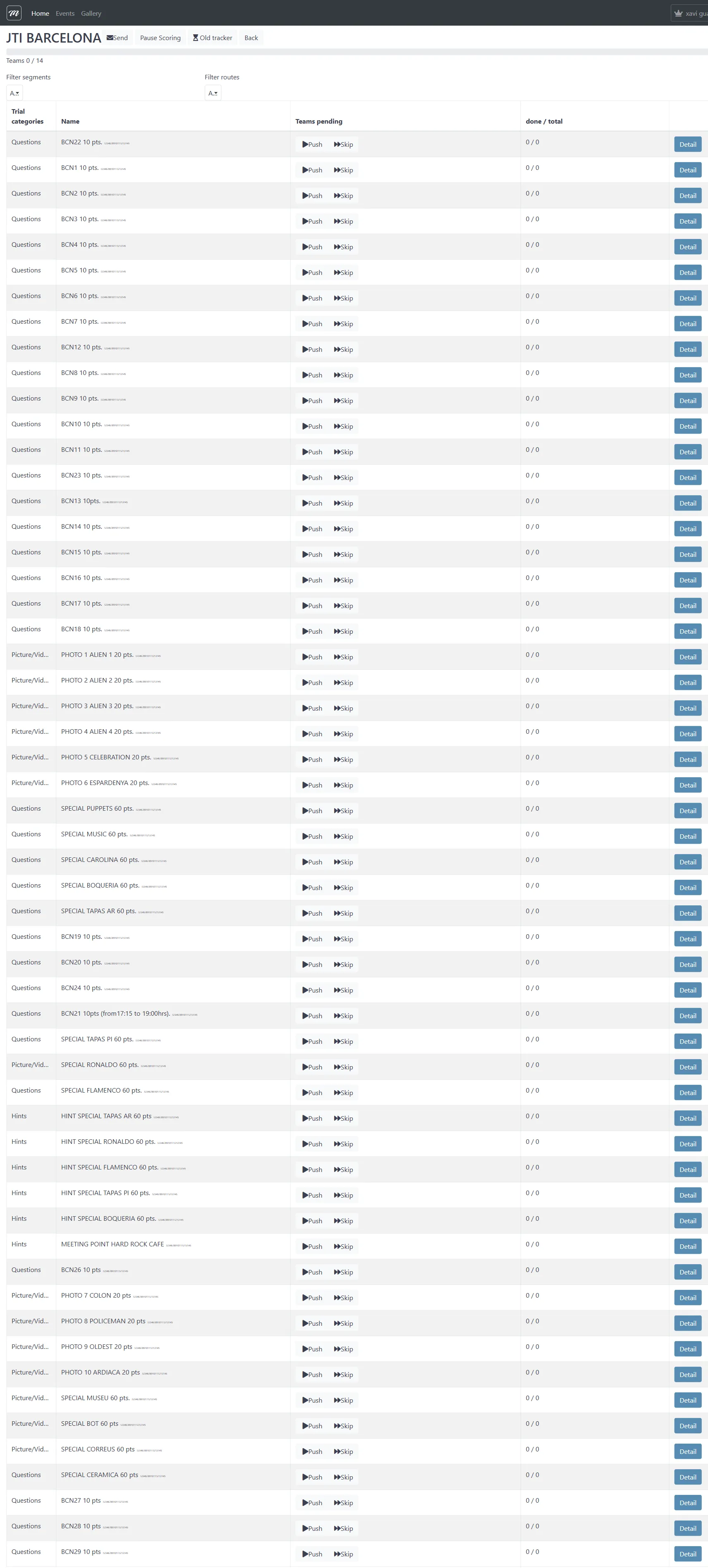
What you see
Section titled “What you see”The tracker shows every challenge in your event with real-time completion data:
| Information | What it tells you |
|---|---|
| Challenge list | Every challenge with its type and point value |
| Completion ratio | How many teams finished each challenge (e.g., “3 / 10”) |
| Teams pending | How many teams still have not attempted each challenge |
| Per-team stats | Distance traveled, challenges completed, time elapsed |
Filter the view
Section titled “Filter the view”Use the tabs at the top to filter:
- All tracker — see everything
- Word — only word/text challenges
- Power Scoring — manual scoring interface for photo and free-text challenges
Segment tracking
Section titled “Segment tracking”If your event uses segments, the segment tracking view shows which segment each team is currently in. You can manually reassign a team to a different segment if they are stuck.
Show results on a screen
Section titled “Show results on a screen”For live events at a venue, share these public displays (no login required):
- Control Panel — live leaderboard on a projector or TV
- Photo Slideshow — cycling display of submitted photos
Use Suspend Scoring to temporarily hide the leaderboard before a final reveal ceremony. Results keep accumulating — they just are not shown.